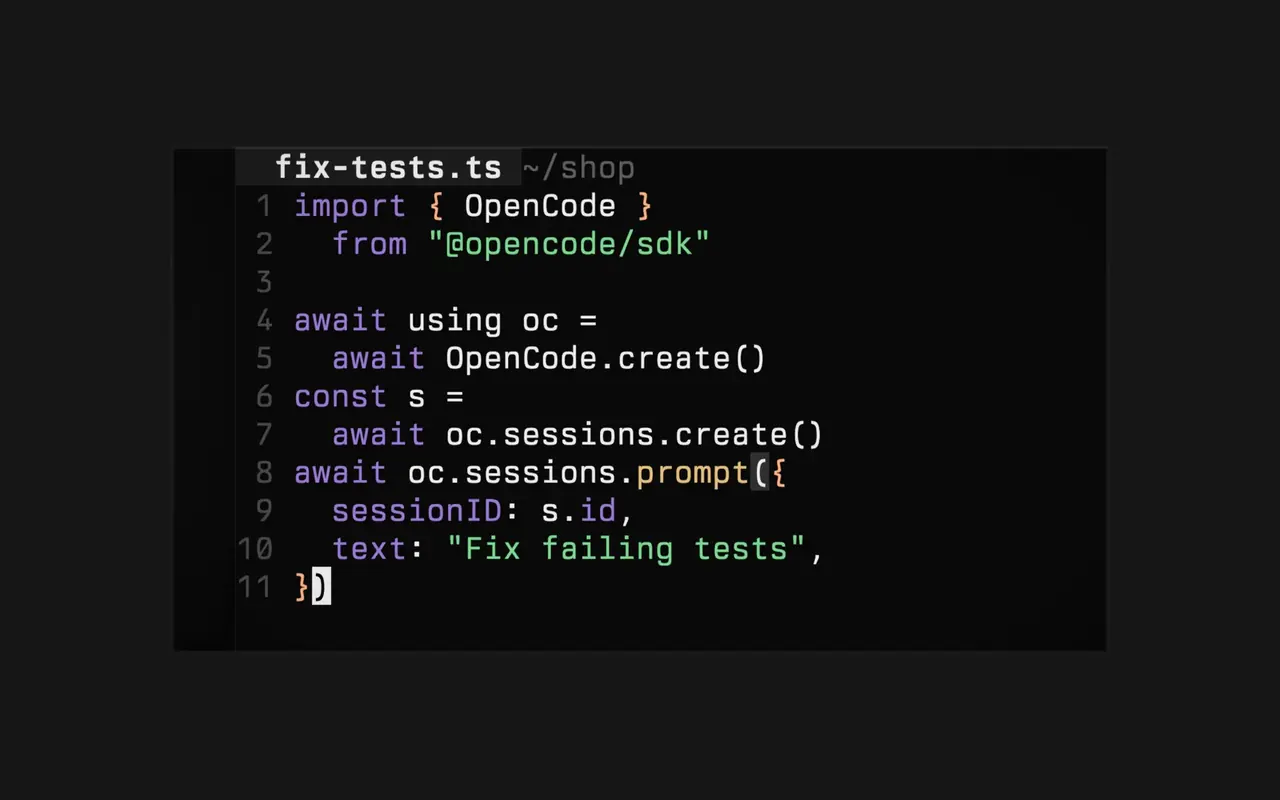
코드로 CI 고치기
짧은 스크립트가 OpenCode에게 실패한 테스트를 고치게 한 뒤 다시 실행합니다.
직접 만든 스크립트, CI 작업, 도구에서 OpenCode를 제어하세요. SDK는 내 설정과 모델로 OpenCode를 내 프로세스 안에서 실행하며, 타입이 지정된 클라이언트가 세션을 만들고, 프롬프트를 보내고, 모든 이벤트를 스트리밍합니다.
짧은 스크립트가 OpenCode에게 실패한 테스트를 고치게 한 뒤 다시 실행합니다.
이벤트를 스트리밍해 에이전트가 호출하는 도구를 실시간으로 확인하세요.
몇 줄의 코드로 OpenCode를 봇, 대시보드, 워크플로에 연결하세요.
내 설정과 모델로 OpenCode를 내 프로세스 안에서 실행합니다.
Enable "experimental": { "artifacts": true } in opencode.json to let agents publish, update, and serve HTML or static artifacts through the built-in local provider or plugin-provided storage.#60351
client.experimental.persistentPty.update to rename terminals or clear a user title, and exposed userTitle plus persistent-pty.updated events.#60329experimental.media_blob is enabledAdded lazy loading for stored image references when experimental.media_blob is enabled. Images are downloaded only for previews, while undo, revert, fork, and prompt recall restore referenced attachments safely.#60116
LLMResponse output on AIError.partial when generation, object generation, or a tool loop fails.#60477tool(...), with optional output schemas and executable or declaration-only tools.#60407debug, models, plugins, provider, and user options to the Responses route.#60044execute handler can throw available to the AI client.#60431filename alongside file_url on OpenAI Responses requests.#60382SessionInfo.time.busy for the latest execution’s start timeif and until inputs for client.experimental.schedule.create, plus schedule check results and output fields.#60137